






Custom API Development Company & Integration Services
Who We Are
At River API, we’re a UK-based API integration & development company with a laser focus on digital transformation for your business. Our experts help companies envision their future state, create step-by-step transition plans, and foster an API-first mindset.
We work with product teams, SaaS platforms, and enterprises looking to streamline infrastructure, connect data across systems, and unlock value with API products. River API builds the connective tissue modern businesses run on.
From technological chaos to intelligent automation – let's connect the dots.
OUR CORE FOCUS
API Development & Integration Services
Custom APIs Development. Seamless API Integration Services
Custom API Integration & Development
Third-party API Integration Service
Cloud Integration
Microservices & Cloud-Based APIs
Data Synchronisation
Client Feedback


.webp)
I've decided to share my experience with you guys. My team needed help with development. RiverAPI specialists immediately showed that they think strategically about writing code. Their approach to development was flexible, thoughtful and technically verified. They built the backend for our educational platform with further scaling and integration with new modules in mind. We also received valuable recommendations from them regarding performance, security, and accessibility. Their team is a rare combination of technological depth and human communication. We had a productive collaboration.
RiverAPI became a technical partner for us and a full-fledged part of the support team. They were in touch 24/7, quickly responded to requests, and proactively warned of possible problems before they started to affect users. I'm sure it wasn't easy. Their approach to technical maintenance is truly impressive: reliability, speed, understanding of business needs. Peace of mind for the infrastructure is what we got thanks to this cooperation.
From the first meeting, RiverAPI experts demonstrated a complete understanding of our business goals and priorities, which was important to us. They created a modern web platform for us that looks stylish, works quickly and stably. Great attention was paid to details, architecture and performance. The code turned out neat. The development process itself was transparent. They really know how to listen and turn a request into a result. Brawo team.
Working with RiverAPI was a real lifesaver for our technical team. They developed a reliable API integration system for our ERP platform, which allowed us to connect painlessly several internal systems. The project was completed without any delays. I would especially like to note their attention to detail, open communication, and desire to truly understand our infrastructure. Working with them is easy, calm, and confident. We will continue to cooperate in the future.
Latest Cases
.avif)
API Orchestration for a Logistics Company
Development of a marketing website for a B2B SaaS
Bullhorn Integration with CMS without iframe
Custom API Integration for Field Service
Why Choose River API as Your API Development Agency?
Built In


Сompanies use an average of 976 applications to run their operations, yet only 28% of these systems are properly integrated with their crm system. This disconnect creates a maze of data silos that forces employees to manually transfer information between platforms, leading to errors, inefficiencies, and missed opportunities.
CRM integration represents the solution to this widespread challenge. By connecting your CRM platform with other business applications, you can eliminate manual data entry, ensure accurate data flows seamlessly between systems, and create a unified ecosystem where customer data works for your entire organization.
This comprehensive guide explores everything you need to know about CRM integration – from understanding the fundamental concepts to implementing the right strategy for your business. You’ll discover the top benefits, essential integration types, implementation approaches, and best practices that leading companies use to streamline processes and enhance customer experience.
What is CRM Integration?
CRM integration refers to the process of connecting your CRM software with other business applications to automate CRM data flow and eliminate the need for manual data entry between systems. At its core, integration creates a unified customer experience ecosystem where information moves automatically and accurately across all relevant platforms within your organization.
Think of CRM integration as building bridges between isolated islands of information. Your sales data, marketing campaigns, customer service interactions, inventory management systems, and financial data all become interconnected, creating a seamless flow of customer information that updates in real-time across multiple platforms.
This integration process involves several technical components working together. Application programming interfaces serve as the communication channels, allowing different software systems to exchange data automatically. Data mapping ensures that customer information maintains consistency across platforms, while workflow automation triggers actions based on specific events or conditions.
The evolution from standalone CRM systems to integrated platforms represents a fundamental shift in how businesses manage client relationships. Modern crm software connects with everything from accounting software and marketing tools to inventory management systems and customer service platforms, creating a comprehensive view of each customer journey.
When properly implemented, crm system integration transforms disconnected business systems into a coordinated network that supports better decision-making, improved operational efficiency, and enhanced customer experiences and sales processes across all touchpoints.
Why CRM Integration is Critical for Modern Business
Data reveals the stark reality of fragmented business operations: employees switch between applications over 1,100 times daily, causing significant productivity losses and increasing the likelihood of errors in customer data management. This constant context switching doesn’t just waste time – it creates opportunities for critical customer information to fall through the cracks.
The impact on digital transformation efforts is particularly concerning. Research shows that data silos affect 81% of IT leaders’ digital transformation initiatives, preventing organizations from achieving their modernization goals. When clients' data remains trapped in separate systems, companies cannot fully leverage artificial intelligence, automation, or advanced analytics to improve business processes.
Poor data quality carries a substantial financial burden. Studies indicate that inaccurate, incomplete, or inconsistent data costs businesses an average of $9.7 million annually. This cost manifests through duplicated efforts, missed sales opportunities, compliance issues, and decreased customer satisfaction due to inconsistent experiences across touchpoints.
The competitive advantage becomes clear when examining organizations that have successfully implemented integrated crm systems. Research demonstrates that 59% of these organizations improve their close rates through CRM integrations, while companies with connected systems experience 36% higher customer retention rates and 27% increases in sales revenue.
Legacy systems compound these challenges by creating technical barriers to data integration. Many organizations struggle with outdated platforms that require manual CRM data transfer processes, preventing them from accessing real-time customer insights that could drive better business decisions.
The mobile workforce adds another layer of complexity. Sales teams, customer service representatives, and field personnel need immediate access to current customer information, inventory data, and business intelligence regardless of their location. Without proper integration, these teams often work with outdated or incomplete information, leading to poor customer interactions and missed opportunities.
Top 7 Benefits of CRM Integration
Enhanced Data Accuracy and Consistency
Real-time synchronization eliminates the human errors that occur with manual data entry across multiple platforms. When customer information updates automatically between systems, you eliminate the discrepancies that arise from manual data transfer and reduce duplicate customer records that confuse sales teams and frustrate customers.
Inventory systems provide customer service teams with up-to-date stock information, preventing overselling and ensuring accurate delivery promises. For example, when a customer calls asking about product availability, service representatives can instantly access real-time inventory levels from integrated systems, providing confident and accurate responses.
Automated CRM data validation prevents conflicting customer records by establishing consistent data formatting rules across all connected platforms. This ensures that customer contact information, purchase history, and preferences remain uniform whether accessed through sales, marketing, or service applications.
Improved Team Collaboration and Productivity
Integration creates a single source of truth for customer information, enabling sales, marketing, and service teams to work from the same information. This eliminates the confusion and conflicts that arise when different departments maintain separate customer databases with conflicting information.
The reduction in time spent switching between applications and performing manual data entry allows teams to focus on value-added activities like building relationships and developing strategic initiatives. Studies show that integrated systems can reduce administrative tasks by up to 40%, freeing employees to engage in more productive work.
Enhanced mobile access ensures that field representatives, remote workers, and traveling sales professionals can access complete customer information from anywhere. This capability enables more effective customer meetings, faster problem resolution, and improved service delivery regardless of location.

Increased Sales Performance
Integration with lead scoring and sales automation tools enables better prospect prioritization by combining CRM data from multiple touchpoints. Sales teams can identify the most promising opportunities based on comprehensive customer behavior data rather than limited information from a single system.
Real-time access to customer purchase history and current product availability empowers sales representatives to make informed upselling and cross-selling recommendations during customer interactions. This immediate access to relevant CRM data significantly improves conversion rates and average order values.
Automated alerts notify sales teams about optimal engagement times based on integrated customer behavior data from marketing tools, website analytics, and previous interaction history. These intelligent notifications help sales reps connect with prospects when they’re most likely to be receptive.
Superior Customer Experience
Unified customer journey tracking across multiple touchpoints provides a complete view of each customer’s interactions with your organization. Customer service representatives can see previous purchases, support tickets, marketing engagement, and communication preferences, enabling personalized and contextual service delivery through CRM system.
Personalized marketing campaigns become possible when customer behavior data from sales, service, and website interactions combines to create comprehensive customer profiles. This integration enables targeted messaging that resonates with individual customer needs and preferences.
Faster issue resolution occurs when customer service teams have immediate access to complete customer histories, previous support interactions, and current account status. Representatives can quickly understand context and provide solutions without requiring customers to repeat information.
Marketing Campaign Optimization
AI-powered audience segmentation becomes more effective when marketing tools can access combined data from sales interactions, customer service feedback, and campaign engagement metrics. This comprehensive data enables more precise targeting and higher campaign performance.
Cross-channel campaign activation improves when integrated social media management tools and website analytics provide a unified view of customer engagement across all touchpoints. Marketing teams can coordinate messaging and timing across channels for maximum impact.
Performance tracking and ROI measurement become more accurate when marketing platforms integrate with sales data and customer service metrics. This integration provides clear visibility into how marketing efforts translate into actual business results.
Operational Efficiency
Automated workflow triggers between crm and business applications eliminate manual processes that create bottlenecks and delays. For example, when a sales opportunity closes, integrated systems can automatically update accounting software, trigger fulfillment processes, and notify customer service teams.
The elimination of manual processes reduces the risk of errors and ensures consistent execution of business procedures. Automated workflows maintain quality standards while reducing the time and resources required for routine operations.
Streamlined reporting and analytics become possible when data from numerous systems combines into centralized dashboards. Management teams can access comprehensive business intelligence without manually compiling information from disparate sources.
Business Scalability
Flexible platform architecture supports the addition of new systems without disrupting existing workflows. As businesses grow and add new tools, integrated architectures can accommodate expansion without requiring complete system overhauls.
Reduced IT burden occurs when standardized integration processes eliminate the need for custom coding and maintenance of multiple point-to-point connections. This efficiency allows IT teams to focus on strategic initiatives rather than maintaining basic system connectivity.
Support for expanding into new markets becomes easier when integrated systems can quickly adapt to new business requirements. Research shows that 52% of organizations report successful market expansion initiatives supported by their integration capabilities.
Essential Types of CRM Integrations
Marketing Automation Integration
Email marketing platforms like Mailchimp, HubSpot, and Pardot connect with crm systems to enable automated campaign management based on customer data and behavior triggers. These integrations allow marketers to send personalized messages based on sales stage, purchase history, and customer preferences stored in the CRM software.
Social media management tools provide unified customer engagement tracking across platforms like Facebook, LinkedIn, and Twitter. When integrated with your crm, social interactions become part of the customer record, enabling more comprehensive relationship management and social selling opportunities.
Web analytics platforms deliver visitor behavior insights directly into customer records, enabling more effective lead scoring and sales prioritization. Integration with tools like Google Analytics and Adobe Analytics helps sales teams understand prospect interests and engagement levels before making contact.
Marketing attribution tools measure campaign effectiveness across channels by connecting marketing touchpoints with actual sales results stored in the crm system. This integration provides clear ROI visibility for marketing investments and helps optimize budget allocation across channels.
Sales Tools Integration
Proposal and quoting software like PandaDoc and DocuSign streamline the sales process by automatically populating customer information and tracking document status within the CRM software. Sales representatives can generate professional proposals and contracts without manual data entry while maintaining complete visibility into the approval process.
Phone and VoIP systems enable automatic call logging and provide customer data access during conversations. Integration with platforms like RingCentral or Zoom Phone ensures that all customer interactions are recorded and accessible to team members who may handle future communications.
Lead generation tools provide enriched prospect data that automatically updates customer records with company information, contact details, and industry insights. Platforms like ZoomInfo and Lead411 enhance lead quality and provide sales teams with valuable conversation starters.
Sales enablement platforms manage content and training resources while tracking usage analytics within the crm system. These integrations help sales managers understand which materials are most effective and ensure representatives have access to current marketing collateral during customer interactions.
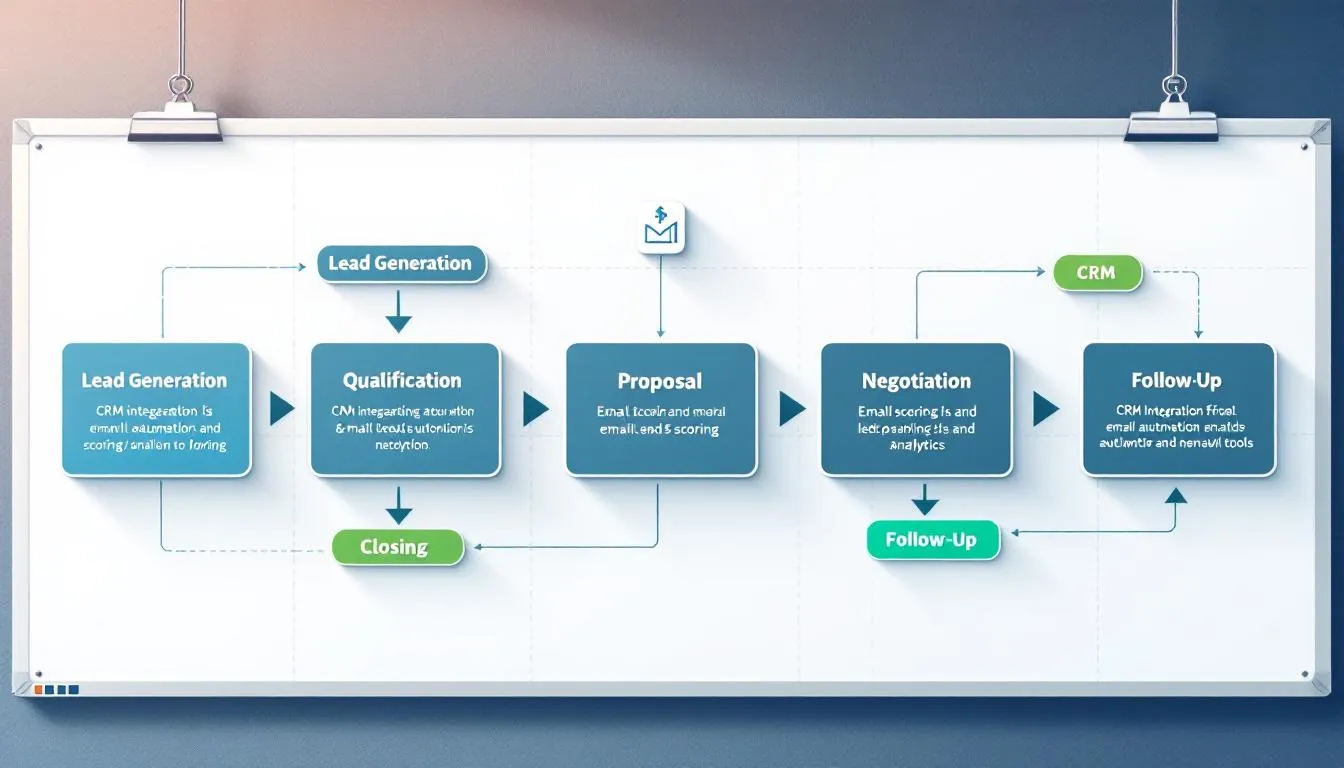
Customer Service Integration
Help desk systems like Zendesk, Freshdesk, and ServiceNow enable comprehensive ticket management while maintaining complete customer context. When integrated with CRM platforms, service representatives can access purchase history, previous interactions, and customer preferences without switching between applications. This level of CRM integration improves response accuracy and reduces handling time.
Live chat platforms provide real-time customer interaction capabilities while maintaining conversation history within customer records. Integration with tools like Intercom or LiveChat ensures that all customer touchpoints are documented and accessible to future service interactions. Strong CRM integration also helps align support conversations with sales and marketing activities.
Knowledge base tools ensure consistent customer support information by connecting frequently asked questions and solutions with customer records. This integration helps service teams provide accurate information while identifying opportunities for process improvements.
IoT device integration enables proactive service and health monitoring for products that generate usage data. When connected to crm systems, IoT information can trigger service alerts, warranty notifications, and upselling opportunities based on actual product performance.
E-commerce Integration
Online store platforms like Shopify, WooCommerce, and Magento synchronize order information, customer purchase history, and product preferences with CRM systems. This integration provides sales and service teams with complete visibility into customer buying behavior and enables personalized recommendations.
Payment gateways connect transaction data with customer records for comprehensive billing management and financial tracking. Integration with processors like Stripe or PayPal ensures that payment status, billing addresses, and transaction history are immediately accessible to relevant teams.
Inventory management systems provide real-time stock level updates that inform customer interactions and sales processes. When CRM platforms integrate with inventory systems, sales teams can make accurate delivery promises while customer service can proactively address potential supply issues.
Shipping and logistics platforms track order fulfillment status and delivery information within customer records. Integration with carriers like UPS, FedEx, and DHL enables proactive customer communication through CRM system about shipping status while providing service teams with delivery context for customer inquiries.
ERP System Integration
Financial management systems like QuickBooks, Sage, and NetSuite synchronize accounting data with customer records for comprehensive financial tracking. This enterprise resource planning integration ensures that sales teams understand customer payment history and credit status while finance teams have visibility into sales pipeline information.
Supply chain management tools provide a comprehensive view of business operations by connecting inventory, purchasing, and fulfillment data with customer demands. This integration enables better forecasting and resource allocation based on actual customer needs and buying patterns.
Human resources platforms track employee and customer interaction data for performance management and training purposes. Integration between HR systems and CRM platforms helps identify top performers and training needs based on actual customer interaction outcomes.
Project management systems coordinate resource allocation and timeline management with customer requirements and delivery commitments. When integrated with CRM systems, project tools ensure that customer expectations align with operational capabilities and resource availability.
→ Read more: Integration with ERP: Complete Guide to Connecting Your Business Systems
Communication and Collaboration Integration
Slack and Microsoft Teams integrations enable team notifications and customer data sharing within collaboration platforms. Team members receive alerts about important customer activities, deal progress, and service issues without leaving their primary communication tools.
Gmail and Outlook integration provides email conversation tracking and contact management within familiar email interfaces. Sales and service teams can access customer records, log communications, and schedule follow-ups directly from their email applications.
Calendar applications enable meeting scheduling and follow-up automation based on customer data and interaction history. Integration with Google Calendar or Outlook ensures that customer meetings include relevant context and appropriate attendees.
Video conferencing platforms maintain customer meeting history and recordings within CRM software. Integration with Zoom, WebEx, or Teams ensures that important customer conversations are documented and accessible to team members who couldn’t attend live sessions.
How to Implement CRM Integration: 4 Main Approaches
Native Built-in Integrations
Pre-configured connections provided by CRM software and vendors require minimal setup and technical expertise, making them an attractive option for organizations with limited IT resources. Popular CRM systems often offer 100+ native integrations with commonly used business applications, covering everything from email marketing to accounting software.
The primary benefit of vendor-maintained compatibility lies in automatic updates and ongoing support. When software platforms update their interfaces or functionality, native integrations typically continue working without requiring manual intervention or additional development work.
However, customization options for native CRM integrations remain limited. Organizations with unique business processes or specialized requirements may find that pre-built connections don’t accommodate their specific needs for data mapping or workflow automation.
The available third-party systems during CRM integration may also be restricted to those chosen by the vendor, potentially excluding specialized tools or industry-specific applications that your organization relies on for critical business processes.
API-Based Integration
The three-tier API architecture provides the most flexible approach to CRM integration, with system APIs handling direct data connections, process APIs managing business logic, and experience APIs delivering user interfaces. This structure enables sophisticated data integration scenarios and advanced API integration patterns that accommodate complex business requirements.
System APIs pull data from specific platforms like UPS, FedEx, and USPS for shipping integration, or connect with payment processors, inventory systems, and marketing tools. These connections provide real-time access to operational data that enhances customer interactions and business decision-making.
Process APIs combine multiple data sources to support comprehensive business functions like order fulfillment, customer onboarding, or sales forecasting. By orchestrating data from various systems, process application programming interfaces enable automated workflows that span multiple departments and applications.
Experience APIs provide complex customer service representative views that combine information from sales history, support tickets, inventory status, and marketing engagement. These comprehensive interfaces enable more effective customer interactions and faster problem resolution.
The technical expertise required for CRM API integration includes understanding data formats, authentication methods, and error handling procedures. Organizations must either develop internal capabilities or partner with integration specialists to successfully implement and maintain API integration across systems.
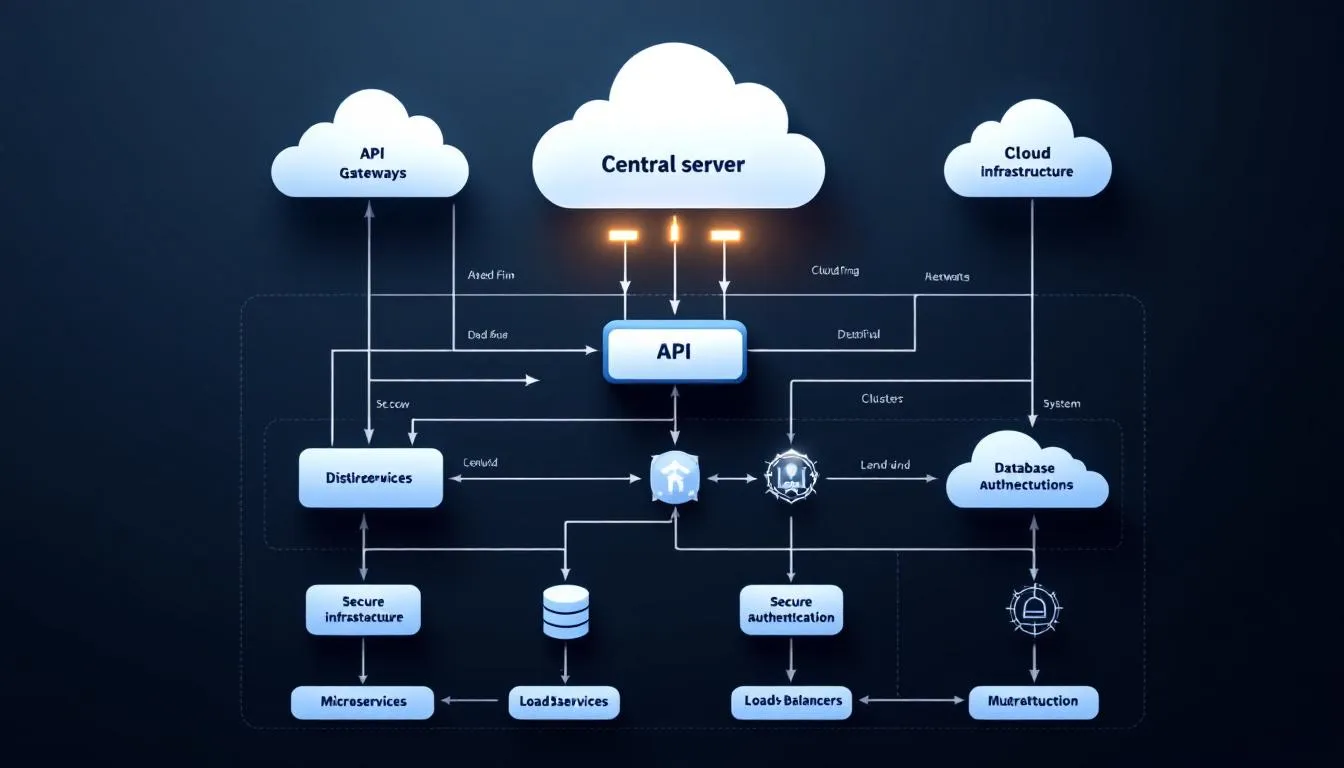
Third-Party Integration Platforms
Zapier connects CRM integration workflows with over 2,000 business applications without requiring coding expertise, making integration accessible to business users rather than just technical teams. The platform’s visual workflow designer enables non-technical users to create automated processes that connect customer data across multiple customer relationship management systems.
MuleSoft and Microsoft Power Platform provide enterprise-grade CRM integration management for larger organizations with complex requirements. These platforms offer robust data transformation capabilities, advanced security features, and scalability to support high-volume data synchronization across global operations.
Integration Platform as a Service (iPaaS) solutions offer cloud-based connectivity that reduces infrastructure requirements and maintenance overhead. Organizations can focus on business outcomes rather than technical implementation details while benefiting from enterprise-level integration capabilities.
Pre-built connectors accelerate implementation timelines by providing tested connections for popular business applications. These connectors often include data mapping templates and workflow examples that help organizations achieve faster time-to-value from their CRM integration investments.
Visual workflow designers enable business users to understand and modify integration processes without technical expertise. This accessibility promotes broader adoption and enables faster adaptation to changing business requirements.
Custom Integration Development
Direct coding approaches provide unlimited flexibility for organizations with unique business requirements or proprietary systems that don’t offer standard integration options. Custom development enables precise control over data transformation, business logic, and user interfaces, and highly specific CRM integration workflows.
Technical expertise requirements include proficiency in programming languages, database management, and integration frameworks. Organizations must either hire specialized developers or allocate existing technical resources to data integration projects, which can impact other development priorities.
Full customization control enables organizations to implement exact business logic and data handling requirements that may not be possible with pre-built solutions. This flexibility is particularly valuable for companies with complex compliance requirements or unique operational processes.
Resource considerations include development time, ongoing maintenance, and the need for specialized skills. Custom integrations require more upfront investment and continued technical support compared to other approaches, but they provide maximum flexibility and functionality.
CRM Integration Best Practices
Data Security and Compliance
Implementation of encryption for data transmission between integrated systems protects customer information during transfer and storage. Industry-standard encryption protocols ensure that sensitive data integration remains secure while moving between CRM interation workflows and other business applications.
GDPR and CCPA compliance considerations require careful attention to data handling practices, customer consent management, and the ability to fulfill data deletion requests across all integrated systems. Organizations must ensure that privacy controls extend throughout their integrated technology stack, , including any CRM integration touchpoints.
Regular security audits and access control management help identify potential vulnerabilities in integrated systems. These assessments should evaluate not only individual applications but also the security of data flowing between connected platforms.
Backup and disaster recovery planning for integrated data systems requires coordination across multiple platforms and vendors. Organizations must ensure they can restore complete customer data ecosystems, not just individual application databases.
Data Quality Management
Data mapping strategies ensure consistent field formatting across systems by establishing clear relationships between equivalent data elements in different applications. Proper mapping prevents information loss and maintains data integrity during CRM integration and other synchronization processes.
Duplicate detection and merging processes for customer records become critical when multiple systems contribute customer information. Automated deduplication rules help maintain clean databases while manual review processes handle complex cases that require human judgment.
Data validation rules prevent incomplete or incorrect information from synchronizing across integrated systems. These rules should check for required fields, proper formatting, and logical consistency before allowing data to update in connected applications.
Regular data cleansing schedules maintain database integrity by identifying and correcting inconsistencies that develop over time. These processes should address formatting issues, outdated information, and data quality problems that affect system performance and user productivity.
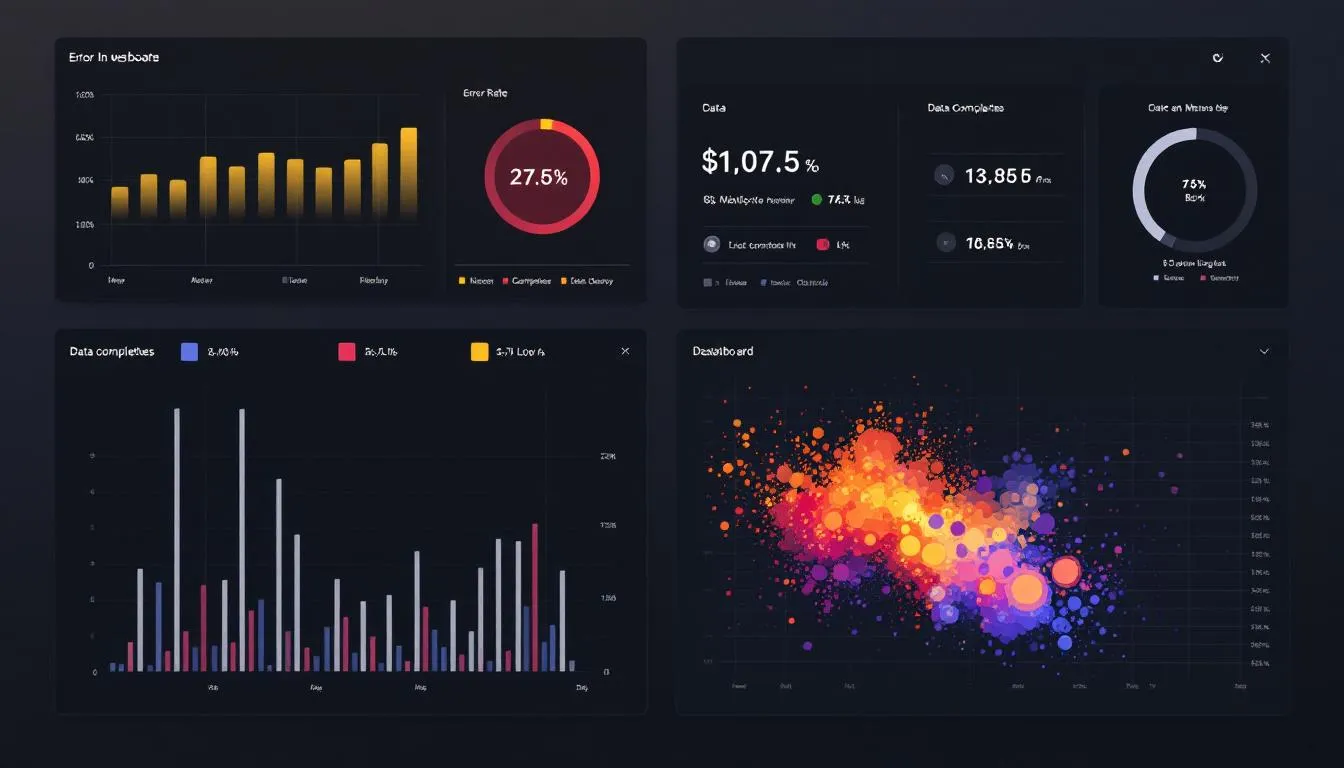
Integration Testing and Monitoring
Comprehensive testing protocols before production deployment should simulate real-world usage patterns and data volumes. Testing should include error scenarios, high-volume periods, and edge cases that might cause CRM integration failures.
Real-time monitoring tools for integration performance and error detection enable proactive identification of issues before they impact business operations. Monitoring should track data synchronization status, system performance, and user experience metrics.
Rollback procedures for integration failures and system recovery ensure business continuity when problems occur. Organizations should have tested processes for reverting to previous configurations and restoring data consistency across integrated systems.
Performance optimization for high-volume data synchronization ensures that CRM integrations can handle peak business periods without degradation. This optimization may include data batching, prioritization rules, and resource allocation strategies.
User Training and Adoption
Comprehensive training programs for teams using integrated CRM systems should address new workflows, data access procedures, and troubleshooting techniques, and the practical impact of CRM integration on daily tasks. Training should be role-specific and include hands-on practice with realistic scenarios.
Change management strategies facilitate smooth transitions to integrated workflows by addressing user concerns, communicating benefits, and providing ongoing support during the adoption period. Successful change management reduces resistance and accelerates productivity improvements.
Documentation of new processes and integration capabilities provides reference materials for ongoing use and new employee onboarding. Documentation should include workflow diagrams, step-by-step procedures, and troubleshooting guides.
Ongoing support and troubleshooting resources help users adapt to integrated systems and resolve issues in CRM integration platform quickly. Support may include help desk services, user communities, and regular check-ins with key users to identify improvement opportunities.
Choosing the Right CRM Integration Strategy
Assessment criteria for CRM Integration strategy should include business size, available technical resources, and integration complexity requirements. Small organizations with limited IT staff may benefit from native integrations, while larger enterprises might require custom development for complex business logic.
Cost-benefit analysis should compare native, API, and third-party platform approaches by evaluating implementation costs, ongoing maintenance expenses, and expected business value. Consider both direct costs and indirect benefits like improved productivity and customer satisfaction in your CRM integration strategy.
Timeline considerations for implementation and deployment phases should account for planning, development, testing, and user training requirements. Different approaches to CRM integration have varying implementation timelines, with native integrations typically faster than custom development projects.
Scalability requirements for future business growth and system additions should influence the choice of integration strategy. Organizations planning significant expansion should choose approaches that can accommodate new applications and increased data volumes without major redesign.
Vendor evaluation checklists should include criteria for support quality, integration marketplace offerings, and long-term viability. Consider factors like vendor financial stability, product roadmap, and customer references when selecting integration partners.
The technical capabilities of your organization play a crucial role in determining the most appropriate approach. Organizations with strong IT departments may prefer API-based solutions for maximum flexibility, while those with limited technical resources might choose platform-based approaches for easier management.
Business process complexity affects CRM integration requirements significantly. Simple data synchronization needs may be well-served by native integrations, while complex workflow automation might require custom development or sophisticated platform solutions.

Future of CRM Integration
AI-powered automation is reducing manual configuration requirements for CRM integration by using machine learning to suggest optimal data mappings, identify integration opportunities, and automatically resolve common synchronization issues. This intelligence makes integration more accessible to business users while reducing the burden on technical teams.
Real-time data streaming capabilities enable instant cross-system updates that support immediate business decisions and customer interactions. Stream processing technologies allow organizations to react to customer behavior and business events in real-time rather than waiting for batch processing cycles.
Low-code integration platforms are enabling business users to create connections between applications without traditional programming skills. These visual development environments democratize integration capabilities and reduce dependence on scarce technical resources.
Industry-specific CRM integration templates accelerate implementation timelines by providing pre-configured connections for common business scenarios in specific sectors. These templates include data mappings, workflow automation, and best practices developed for particular industries.
The convergence of artificial intelligence, machine learning, and integration platforms is creating intelligent data systems that can adapt to changing business requirements automatically. These systems will increasingly predict integration needs, optimize data flows, and suggest improvements based on usage patterns.
Robotic process automation is enhancing CRM integration capabilities by automating business processes that span multiple systems and require human-like decision-making. RPA bridges gaps between applications that don’t have direct integration capabilities.
The shift toward composable business architectures enables organizations to quickly adapt their technology stacks by connecting best-of-breed applications rather than relying on monolithic enterprise systems. This flexibility in CRM integration supports faster innovation and response to market changes.
Conclusion
CRM integration transforms disconnected business systems into a unified ecosystem that enhances customer experience, improves operational efficiency, and drives business growth within a single CRM platform. Organizations that successfully integrate their CRM platforms with other business applications see significant improvements in productivity, data accuracy, and customer satisfaction.
The journey to effective CRM integration platform requires careful planning, appropriate technology selection, and commitment to best practices in data management and user adoption. Whether you choose native integrations, API development, third-party platforms, or custom solutions, success depends on aligning your integration strategy with business objectives and technical capabilities.
The benefits of CRM platform integration extend far beyond simple data synchronization. Integrated systems enable automated workflows, provide comprehensive customer insights, and support the agility needed to compete in today’s fast-paced business environment. Organizations that invest in integration capabilities position themselves for sustainable growth and enhanced client relationships.
Start by assessing your current systems, identifying high-impact integration opportunities, and developing a phased implementation plan that delivers value quickly while building toward a comprehensive integrated environment. The time invested in proper CRM integration planning and execution pays dividends through improved efficiency, better customer experiences, and accelerated business growth.

ERP integration refers to the process of connecting an ERP system with other software applications, databases, or external systems to enable data exchange, synchronization, and real-time communication.
Modern businesses rely on dozens of specialized software systems to manage everything from customer relationships to supply chain operations. However, when these systems operate in isolation, they create data silos that force employees into time-consuming manual data entry, increase error rates, and prevent organizations from accessing the real-time insights needed for competitive advantage.
This comprehensive guide explores how ERP integration can revolutionize your business operations, eliminate inefficiencies, and provide the connected infrastructure necessary for sustainable growth. Effective ERP integration should be tailored to meet specific business needs, ensuring the solution aligns with operational processes and strategic goals in an increasingly digital marketplace.
What is ERP Integration?
ERP integration connects Enterprise Resource Planning systems with external applications, databases, and third-party software to enable seamless data exchange across your entire business infrastructure. Rather than maintaining separate systems for accounting software, customer relationship management, inventory management, and other business functions, integration creates a unified ecosystem where information flows automatically between platforms.

This transformation moves organizations beyond basic systems into an interconnected network that provides real-time visibility across all business functions. When properly implemented, erp integration is important because it creates a unified, real-time source of truth across the organization, reducing data silos and manual data handling. This eliminates the need for employees to manually transfer data between different software systems, reducing errors and accelerating business processes.
Modern ERP integration leverages APIs, webhooks, and cloud-based connectors to synchronize data bidirectionally between leading platforms like SAP, Oracle NetSuite, Microsoft Dynamics 365, and hundreds of other enterprise software solutions. The result is a single source of truth where every department accesses identical, up-to-date information that reflects the current state of your business operations. The integration process typically involves a series of technical steps, such as establishing communication channels, data mapping, and using middleware or APIs to enable seamless data exchange between ERP systems and external applications.
The core concept behind successful erp system integration extends beyond simple data transfer. It encompasses the strategic alignment of business processes, the standardization of data formats across platforms, and the creation of automated workflows that respond intelligently to changing business conditions.
Why ERP Integration is Critical for Business Success
The business case for integration with ERP systems becomes compelling when you examine the quantifiable impact on operational efficiency and strategic capabilities. Organizations that implement comprehensive erp integrations typically see immediate improvements in productivity, data accuracy, and decision-making speed.
Manual data entry creates a significant vulnerability in modern business operations, with research showing that spreadsheet errors occur in 88% of documents. These mistakes compound across business functions, leading to inventory discrepancies, billing errors, and customer service issues that damage both profitability and reputation. ERP integration eliminates these risks by enabling business process automation, which streamlines and automates various business processes and ensures consistent validation rules across all connected systems.
The creation of a single source of truth represents perhaps the most transformative benefit of erp system integration. When sales teams, finance departments, the finance team, and operations managers access identical information, organizations eliminate the confusion and delays caused by conflicting reports and outdated data. This synchronization enables real-time decision making with instant access to inventory levels, customer payment status, production schedules, and other critical business metrics. For the finance team, ERP integration enhances their ability to manage financial data accurately and support strategic decision-making.
Financial benefits from integration with ERP typically manifest within the first year of implementation. Organizations commonly reduce operational costs by 15-30% through automated workflows and elimination of duplicate data entry tasks. These savings come from reduced labor costs, fewer errors requiring correction, and improved process efficiency that allows the same staff to handle higher transaction volumes.
Compliance requirements add another layer of complexity that makes erp integration essential for many organizations. SOX, GDPR, and industry-specific regulations require comprehensive audit trails and data governance capabilities that are nearly impossible to maintain across disconnected systems. Integrated ERP solutions provide centralized data governance and automated compliance reporting that reduces regulatory risk while simplifying audit processes.
The competitive advantages extend beyond internal efficiency improvements. Organizations with integrated erp systems can respond more quickly to market opportunities, provide better customer service through access to complete customer histories, and make strategic decisions based on comprehensive, real-time business intelligence.
How ERP Integration Works: Technical Architecture
Understanding the technical architecture behind ERP integration helps business leaders make informed decisions about implementation approaches and technology investments. Modern integration with ERP relies on several key technical components that work together to create seamless data flow between disparate systems.
REST APIs and SOAP web services form the foundation of most contemporary erp integration implementations. These standardized communication protocols establish secure channels between ERP systems and external applications, allowing different software platforms to exchange data regardless of their underlying technology stacks. APIs handle authentication, data formatting, and error management to ensure reliable communication between integrated systems.
Middleware platforms serve as translation layers that handle the complex task of converting data between different formats and structures. When your customer relationship management system uses different field names and data types than your ERP system, middleware translates this information automatically, ensuring that customer data maintains consistency across platforms. Popular middleware solutions include MuleSoft, Dell Boomi, and Microsoft Azure Integration Services.
Data mapping rules represent a critical component that aligns customer IDs, product codes, financial accounts, and other identifiers across different software platforms. These rules ensure that a customer record in your CRM system corresponds correctly to the same customer in your ERP financial management module, preventing duplicate records and data inconsistencies.
Real-time synchronization protocols trigger immediate updates when data changes in any connected system. Integration flows, which are predefined sequences, manage and orchestrate data and application interactions between systems, enabling seamless and efficient connectivity. For example, when a customer places an order through your e-commerce platform, the integration automatically updates inventory levels in your ERP system, creates shipping instructions for your warehouse management system, and triggers billing processes in your accounting software.
Monitoring dashboards provide essential oversight capabilities that track data flow volumes, error rates, and system performance metrics around the clock. These tools help IT teams identify integration bottlenecks, troubleshoot connectivity issues, and ensure that business-critical data transfers complete successfully.
The architecture also includes security layers that protect sensitive business data during transfer between systems. Secure and compliant data integration processes are essential to unify data from multiple sources, ensuring both seamless information sharing and adherence to regulatory requirements. Encryption, authentication tokens, and access controls ensure that integration with ERP maintains the same security standards as individual applications while enabling the data flow necessary for business operations.
ERP Integration Methods and Technologies
Selecting the appropriate integration approach significantly impacts both the initial implementation success and long-term maintainability of your connected business systems. Integration software plays a crucial role in connecting various applications and automating processes within ERP integration, making the entire system more efficient. Organizations have three primary methodologies for achieving integration with ERP software, each offering distinct advantages and limitations depending on business requirements and technical infrastructure.
Point-to-Point Integration
Point-to-point integration creates direct API connections between two specific systems, such as connecting Salesforce CRM directly to SAP ERP for customer data synchronization. This approach offers the simplest conceptual model and fastest initial implementation for organizations with limited integration requirements.
The method works well for companies with 2-5 software applications requiring straightforward data exchange without complex transformation rules. Implementation typically requires custom coding and maintenance by internal IT teams, with average development time ranging from 2-6 weeks per integration depending on the complexity of data mapping requirements.
However, point-to-point integration becomes unmanageable as integration requirements grow exponentially. Connecting 10 systems requires 45 separate point-to-point connections, each requiring individual maintenance, monitoring, and troubleshooting. This complexity leads to integration “spaghetti” that becomes increasingly expensive and fragile over time.
Organizations should consider point-to-point integration only for simple, stable integration requirements where the number of connected systems will remain limited. The approach works particularly well for startups and small businesses beginning their integration journey with basic ERP integration needs.
Enterprise Service Bus (ESB)
Enterprise service bus architecture addresses the scalability limitations of point-to-point integration by creating a centralized integration hub using platforms like MuleSoft Anypoint, IBM Integration Bus, or Microsoft BizTalk Server. This approach standardizes data formats using XML schemas and handles routing, transformation, and protocol conversion within a unified architecture. By connecting disparate applications and services, ESB helps create an integrated system that unifies data and processes across different business functions, enabling real-time alerts and coordinated updates to improve efficiency and responsiveness.
ESB solutions excel at supporting complex business rules and can integrate legacy systems with modern cloud applications seamlessly. The centralized approach allows organizations to implement sophisticated data transformation logic, handle multiple data formats, and maintain comprehensive audit trails for compliance requirements.
Implementation requires significant upfront investment, typically ranging from $100,000 to $500,000, plus dedicated integration specialists for implementation and ongoing maintenance. The complexity makes ESB most suitable for large enterprises with primarily on-premises systems and complex data transformation requirements.
ESB architecture provides excellent performance for high-volume data transfers and offers robust error handling capabilities. Organizations in regulated industries often prefer ESB solutions for their comprehensive logging and audit capabilities that support compliance requirements.
Integration Platform as a Service (iPaaS)
Cloud-based integration solutions including Zapier, MuleSoft Composer, Microsoft Power Automate, and Dell Boomi AtomSphere represent the newest approach to erp integration. These platforms provide pre-built connectors for over 500 applications including QuickBooks, Shopify, HubSpot, and all major ERP systems. Cloud ERP acts as a central hub for integrating various systems such as HR, EAM, and applications via APIs, supporting seamless, scalable, and efficient data sharing across departments.
iPaaS platforms enable business users to create integrations using visual workflow designers without requiring coding knowledge. They make it easy to connect ERP systems with SaaS applications, streamlining business operations and increasing flexibility. This democratization of integration development reduces IT bottlenecks and allows business teams to implement new connections as operational requirements evolve.
The cloud-based architecture offers elastic scalability that automatically handles peak data volumes during month-end closing periods or holiday sales peaks. Built-in security, monitoring, and compliance features eliminate the need for organizations to build and maintain integration infrastructure independently.
Costs for iPaaS solutions start at $300-$1,000 per month for small to medium implementations, scaling based on data volumes and connector requirements. The subscription model eliminates large upfront investments while providing access to continuously updated connectors and features.
iPaaS represents the preferred approach for most modern organizations implementing integration with ERP, particularly those embracing cloud-based applications and seeking rapid implementation with minimal technical complexity.
Essential ERP Integration Use Cases
Successful integration with ERP requires strategic prioritization of integration scenarios that deliver maximum business value. Successful ERP implementation also requires careful planning of integration scenarios to ensure seamless data sharing, system integration, and business process automation. The following use cases represent the most common and impactful integration projects that organizations implement to transform their business operations.
Customer Relationship Management (CRM) Integration
CRM integration synchronizes customer data between Salesforce, HubSpot, Microsoft Dynamics CRM, or other customer relationship management platforms with ERP financial systems. This integration eliminates data silos between sales and finance teams while providing comprehensive customer insights that improve both sales effectiveness and customer service quality.
The integration enables marketing and sales teams to leverage integrated data to analyze sales patterns, adjust marketing strategies, and optimize pricing models. Sales teams can view customer payment history, credit limits, and outstanding invoices during prospect meetings, allowing for more informed sales conversations and better customer qualification. Sales representatives can identify customers with payment issues before proposing new deals, while also recognizing high-value customers who deserve preferential treatment.
Automated customer record creation occurs when deals close in the CRM system, eliminating duplicate data entry and ensuring that new customers are immediately available in ERP systems for billing and fulfillment processes. This automation reduces the sales-to-delivery cycle and prevents delays caused by missing customer information.
Real-time opportunity value updates based on actual invoicing and payment data from ERP systems provide sales managers with accurate pipeline forecasting and commission calculations. This bidirectional data flow ensures that sales projections reflect actual business performance rather than estimated values.
E-commerce Platform Integration
E-commerce integration connects Shopify, Amazon Marketplace, WooCommerce, and Magento stores with backend ERP inventory and fulfillment systems. This integration enables omnichannel retail operations where online sales channels operate with the same inventory visibility and order processing capabilities as traditional sales channels.
Product catalog synchronization ensures that all sales channels display identical product information, pricing, and availability. When inventory levels change due to receiving shipments or processing orders, the integration updates all connected e-commerce platforms simultaneously, preventing overselling and improving customer satisfaction.
Order processing automation routes online orders directly into ERP systems for picking, shipping, and invoicing workflows. This eliminates manual order entry while ensuring that online sales receive the same fulfillment priority as other sales channels. The integration can also trigger automated shipping notifications and tracking information delivery to customers.
Real-time inventory updates prevent the frustration of customers attempting to purchase out-of-stock items. The integration ensures that e-commerce platforms reflect current stock levels, while also supporting advanced features like backorder management and expected availability dates.
Supply Chain and Procurement Integration
Supply chain integration links supplier portals, EDI systems, and procurement platforms with ERP purchasing and inventory management modules. This comprehensive integration creates an automated procurement ecosystem that reduces manual processes while improving supplier relationships and inventory optimization.
Automated purchase order creation based on minimum stock levels and demand forecasting algorithms ensures that organizations maintain optimal inventory levels without manual monitoring. The integration can analyze historical usage patterns, seasonal variations, and current demand to generate purchase orders at the optimal timing and quantities.
Shipment tracking integration monitors delivery status from supplier systems and updates ERP receiving schedules automatically. This visibility allows warehouse teams to prepare for incoming shipments while providing accurate delivery estimates to internal stakeholders who depend on the materials.
Vendor compliance and performance management becomes streamlined through integrated scorecards that track quality metrics, delivery performance, and pricing competitiveness across all suppliers. This data supports strategic sourcing decisions and supplier relationship management initiatives. Senior procurement executives often face challenges with ERP integration and are seeking unified solutions to streamline procurement processes.
Business Intelligence and Analytics Integration
Business intelligence integration feeds ERP transaction data into analytics platforms like Tableau, Power BI, Oracle Analytics Cloud, or Qlik Sense for advanced reporting and visualization capabilities. Business intelligence software such as these tools complement ERP modules by enabling deeper data analysis, visualization, and seamless integration. This integration transforms raw business data into actionable insights that drive strategic decision-making across the organization.
Executive dashboards combine financial data with operational metrics to provide comprehensive performance visibility. Leaders can monitor revenue trends, cost patterns, inventory turnover, and other key performance indicators in real-time, enabling rapid response to emerging opportunities or challenges.
Predictive analytics capabilities emerge when ERP data combines with external data sources through integrated machine learning models. Organizations can forecast demand patterns, identify potential supply chain disruptions, and optimize resource allocation based on comprehensive data analysis.
Real-time KPI monitoring with automated alerts notifies managers when metrics exceed defined thresholds. For example, the integration can alert finance teams when accounts receivable aging exceeds targets or notify operations managers when inventory levels require immediate attention. Additionally, integrating project management tools with ERP systems enables unified reporting and workflow automation, streamlining project planning and resource management.
Key Benefits of ERP Integration
Organizations implementing comprehensive integration with ERP systems realize measurable improvements across multiple business dimensions. These benefits compound over time as integrated processes become more sophisticated and additional systems join the connected ecosystem.
The most immediate and quantifiable benefit involves the dramatic reduction in manual data entry tasks. Organizations typically achieve 40-60% reductions in manual data handling, freeing staff members to focus on higher-value strategic work rather than routine data transfer activities. This efficiency gain translates directly into cost savings and improved employee satisfaction.
Data accuracy improvements represent another critical benefit that impacts every aspect of business operations. Integrated systems achieve data accuracy rates exceeding 99%, compared to the 85% accuracy typical in manual processes. This improvement eliminates costly errors in billing, inventory management, and customer service while reducing the time spent identifying and correcting data inconsistencies.

Business process acceleration delivers competitive advantages through faster response times and improved customer service. Order-to-cash cycles commonly improve from 15 days to 3 days through automation of previously manual processes. This acceleration improves cash flow while enhancing customer satisfaction through faster order fulfillment and more responsive service.
Real-time visibility capabilities transform decision-making processes by providing executives with current financial position, inventory levels, and operational performance data. Management teams can identify trends, respond to market changes, and optimize resource allocation based on comprehensive, up-to-date business intelligence rather than historical reports.
Scalability support becomes increasingly valuable as organizations grow. Integrated systems automatically handle increased transaction volumes without requiring proportional increases in administrative staff. This scalability enables sustainable growth while maintaining operational efficiency and service quality standards. ERP integration directly supports business growth by allowing companies to expand operations and enter new markets without increasing administrative overhead.
Customer experience enhancements emerge from the improved data accuracy and process efficiency that integration provides. Customers benefit from faster order processing, accurate delivery dates, and proactive communication about order status or potential issues. These improvements strengthen customer relationships and support revenue growth through improved retention and referrals.
Common ERP Integration Challenges and Solutions
While the benefits of integration with ERP are substantial, organizations must navigate several technical and business challenges to achieve successful implementations. Understanding these obstacles and their solutions helps organizations prepare for common issues and implement mitigation strategies.
Data Mapping and Transformation Complexity
The challenge of data mapping and transformation complexity arises when different systems use varying data formats, field names, and validation rules that require sophisticated transformation logic. For example, your CRM system might store customer names in a single field while your ERP system requires separate first and last name fields, creating the need for complex parsing and validation rules.
Organizations solve this challenge by implementing comprehensive data mapping tools and establishing master data management standards with unique identifiers across all systems. This approach creates a standardized data dictionary that defines how information should be structured and validated, regardless of the source system.
Data quality checks and validation rules catch inconsistencies before they propagate across integrated systems. These automated validation processes can identify incomplete records, duplicate entries, and format inconsistencies that could cause integration failures or data corruption.
Comprehensive documentation of field mappings and transformation rules ensures that future maintenance and troubleshooting can be performed efficiently. This documentation becomes essential when system updates require mapping modifications or when new team members join the integration management team.
Security and Compliance Risks
Security and compliance risks multiply when integration points create potential vulnerabilities for data breaches and unauthorized access to sensitive business information. Each connection between systems represents a potential attack vector that requires careful security design and ongoing monitoring.
Organizations address these risks by implementing OAuth 2.0 authentication, API rate limiting, and end-to-end encryption for all data transfers between integrated systems. These security measures ensure that sensitive data remains protected during transit while preventing unauthorized access to integration endpoints.
Role-based access controls and regular security audits of integration endpoints provide additional protection layers. Organizations should establish clear policies defining which users can access integrated data and implement monitoring systems that track all data access and modification activities.
Compliance with GDPR, HIPAA, SOX, and industry-specific regulations requires proper data governance frameworks that track data lineage, implement retention policies, and support audit requirements. Integrated systems must maintain the same compliance standards as individual applications while enabling the data flow necessary for business operations.
System Performance and Scalability
Performance and scalability challenges emerge when high-volume data synchronization impacts ERP system performance during peak business periods such as month-end closing, seasonal sales peaks, or inventory audits. These performance issues can disrupt normal business operations and create user frustration.
Asynchronous processing, data batching, and off-peak scheduling for large data transfers solve most performance issues by distributing the integration workload across time periods when system utilization is lower. This approach ensures that integration activities don’t interfere with normal business operations during peak usage periods.
Caching mechanisms and delta synchronization optimize performance by transferring only changed data rather than complete datasets. This approach dramatically reduces bandwidth requirements and processing time while maintaining data accuracy across integrated systems.
System performance monitoring and alerting capabilities help organizations identify integration bottlenecks or failures before they impact business operations. These monitoring systems should track data transfer volumes, processing times, error rates, and system resource utilization to provide early warning of potential issues.
ERP Integration Best Practices for 2024
Successful integration with ERP requires strategic planning and disciplined execution that follows proven best practices. Organizations that implement these guidelines typically achieve faster implementations, higher success rates, and lower long-term maintenance costs.
Data cleansing and standardization should occur before implementing any integrations to ensure high-quality synchronized data across all connected systems. Organizations must identify and resolve duplicate records, incomplete data, missing information, and format inconsistencies in existing systems before attempting to connect them through integration platforms.
A phased implementation approach beginning with critical integrations like CRM and e-commerce systems before expanding to secondary applications reduces risk while demonstrating early value. This strategy allows organizations to build integration expertise gradually while avoiding the complexity of managing multiple simultaneous integration projects.
Clear data governance policies must define data ownership, update frequencies, and conflict resolution procedures before integration implementation begins. These policies prevent confusion about which system serves as the authoritative source for different types of information and establish procedures for resolving conflicts when multiple systems attempt to update the same data simultaneously.

Integration design should include robust error handling, retry logic, and fallback mechanisms to ensure business continuity when integration failures occur. These capabilities automatically retry failed data transfers, route critical information through alternative paths when primary connections fail, and alert administrators to issues requiring manual intervention.
Comprehensive documentation of integration workflows, data mappings, and system dependencies supports future maintenance and troubleshooting efforts. This documentation should include technical specifications, business process descriptions, and troubleshooting guides that enable efficient problem resolution and system updates.
Regular testing and validation of integrations becomes essential before ERP system updates, patches, or configuration changes that could impact integrated data flows. Organizations should establish testing procedures that verify integration functionality, data accuracy, and performance characteristics after any changes to connected systems.
Change management processes must address both technical and business aspects of integration implementations. Technical teams need training on new integration tools and monitoring procedures, while business users require training on modified workflows and new capabilities that integration provides.
Security considerations should be built into integration design from the beginning rather than added as an afterthought. This includes implementing proper authentication, encryption, access controls, and audit logging that meet both security and compliance requirements.
Future Trends in ERP Integration
The evolution of integration with ERP continues to accelerate as new technologies emerge and business requirements become more sophisticated. Organizations planning integration investments should consider these emerging trends that will shape the future landscape of enterprise integration.
AI-powered integration platforms represent the next generation of integration technology, offering automatic suggestion of optimal data mappings and real-time anomaly detection capabilities. These intelligent systems can analyze data patterns, identify potential mapping errors, and suggest improvements to integration workflows without requiring manual intervention.
Machine learning algorithms will increasingly handle complex data transformation requirements that currently require manual configuration. These systems can learn from historical data patterns to automatically generate transformation rules, reducing the time and expertise required for integration implementation.
Low-code and no-code integration tools are democratizing integration development by enabling business users to create and modify integrations without requiring technical programming skills. This trend reduces IT bottlenecks while allowing business teams to implement new connections as operational requirements evolve.
Visual workflow designers and drag-and-drop interfaces make integration development accessible to non-technical users while maintaining the sophistication required for complex business processes. These tools generate the underlying code automatically while providing user-friendly interfaces for configuration and monitoring.
Event-driven architectures using microservices and serverless computing provide more responsive and scalable integration capabilities than traditional batch-processing approaches. These architectures enable real-time response to business events and automatic scaling based on processing demands.
Blockchain integration technologies will enable new levels of supply chain transparency and automated smart contract execution. Organizations will be able to create immutable audit trails for transactions while automating complex multi-party business processes through intelligent contracts.
Advanced analytics integration will provide predictive insights and automated decision-making capabilities that transform ERP systems from reactive reporting tools into proactive business management platforms. These capabilities will enable automatic optimization of inventory levels, pricing strategies, and resource allocation based on predictive analytics.
Cloud-native integration platforms will continue to replace traditional on-premises solutions, offering improved scalability, reduced maintenance requirements, and access to continuously updated features and connectors.
The integration landscape will also see increased standardization of APIs and data formats across different software vendors, making integration implementation faster and more reliable while reducing vendor lock-in concerns.
Conclusion
Integration with ERP systems has evolved from a technical luxury to a business necessity that determines organizational competitiveness in today’s connected economy. Organizations that successfully implement comprehensive erp integration achieve measurable improvements in operational efficiency, data accuracy, and strategic agility that compound over time.
The journey toward integrated business operations requires careful planning, strategic technology selection, and disciplined execution of proven best practices. However, the benefits—including 40-60% reductions in manual data entry, improved data accuracy exceeding 99%, and accelerated business processes—justify the investment for organizations committed to digital transformation.
As emerging technologies like artificial intelligence, low-code platforms, and event-driven architectures continue to evolve, the opportunities for creating more intelligent, responsive, and efficient integrated business systems will expand dramatically. Organizations that begin their integration journey today while preparing for these future capabilities will position themselves for sustained competitive advantage in an increasingly connected business environment.
The time to act is now. Every day that business systems remain disconnected represents lost opportunities for efficiency gains, improved customer experiences, and strategic insights that could drive growth and profitability. Start with a clear assessment of your current integration needs, prioritize high-impact use cases, and select technologies that align with your organization’s technical capabilities and growth objectives.
Introduction to Enterprise Resource Planning (ERP)
Enterprise Resource Planning (ERP) is a comprehensive business management software system designed to unify and streamline a company’s core business functions. By integrating processes such as finance, human resources, supply chain management, and inventory management into a single platform, ERP systems provide organizations with a centralized source of truth for all critical business data. This centralization enables seamless collaboration across departments, reduces data silos, and supports more informed, data-driven decision-making.
Modern ERP systems are built to handle the complexities of today’s business environment, allowing companies to automate routine tasks, standardize workflows, and ensure data consistency across various business functions. For example, enterprise resource planning erp solutions can connect supply chain management with inventory management, ensuring that procurement, warehousing, and distribution activities are always aligned with real-time demand and available resources. Similarly, integrating human resources with other business functions enables organizations to manage employee data, payroll, and performance from a unified dashboard.
The true power of ERP integration lies in its ability to connect these diverse business functions, breaking down barriers between departments and enabling a holistic view of operations. As a result, businesses can respond more quickly to market changes, optimize resource allocation, and drive continuous improvement across the organization. In today’s competitive landscape, effective ERP integration is essential for organizations seeking to enhance efficiency, reduce operational costs, and deliver superior customer experiences.
Human Resources Management Integration
Human Resources Management (HRM) integration is a vital component of successful ERP integration, empowering organizations to manage their workforce with greater efficiency and accuracy. By connecting HR systems with other business applications—such as payroll, benefits administration, and performance management—companies can automate key HR processes, minimize manual data entry, and significantly improve data accuracy across the board.
With HRM integration, businesses gain real-time visibility into their workforce, making it easier to manage employee records, track attendance, monitor performance, and support talent management initiatives. For example, integrating HR data with payroll and benefits systems ensures that employee information is always up to date, reducing errors and administrative overhead. This seamless data exchange not only streamlines HR operations but also supports compliance with labor regulations and internal policies.
ERP integration solutions, including those from leading providers like SAP, enable organizations to unify HR data with other critical business functions such as supply chain management, customer relationship management, and financial management. This unified approach allows for more strategic workforce planning, better alignment between HR and business objectives, and improved decision-making based on comprehensive, real-time data.
However, achieving effective HRM integration comes with its own set of challenges. Common ERP integration challenges include overcoming data silos, ensuring seamless data exchange, and managing the complexity of integration implementation. Data silos can arise when HR and other business applications use different data formats or operate independently, making it difficult to achieve a single source of truth. Seamless data exchange is essential for real-time updates and accurate reporting, while integration implementation often requires careful planning, the right expertise, and robust integration methods.
Organizations can choose from several ERP integration methods to connect their HR systems with other business applications. Point-to-point integration is suitable for direct connections between two systems, while enterprise service bus (ESB) architectures provide a centralized platform for integrating multiple applications. Integration platform as a service (iPaaS) offers a cloud-based solution for rapid, scalable integration across a wide range of business systems. The choice of method depends on the organization’s specific needs, the number of systems involved, and the desired level of automation.
Ultimately, HRM integration through ERP systems delivers numerous benefits, including improved data accuracy, increased operational efficiency, and enhanced employee experiences. By leveraging the right ERP integration solutions and best practices, businesses can overcome common integration challenges, automate business processes, and unlock the full potential of their workforce as part of a connected, intelligent enterprise.
A well-structured design determines the scalability of applications, the efficiency of developer workflows, and the long-term success of digital products. RESTful standards have become dominant because of their simplicity, scalability, and compatibility with web technologies. Their design influences how easily developers can integrate services, extend functionality, and build new applications on top of existing systems.
Poorly designed interfaces often lead to confusion, inconsistent integrations, and increased maintenance costs. In contrast, a design that follows best practices ensures predictable behaviour, consistent interactions, and efficient resource management. This enables faster development, reduces errors, and supports business growth through reliable digital products.
This guide provides a practical overview of RESTful API design and best practices for designing. Here RiverAPI team explains what API design means, the core principles of REST, and how to structure endpoints and URIs for maximum clarity and maintainability. By following these guidelines, developers can create designs that are functional, easy to use, and scalable in the long term.
What is API Design?
API design refers to the process of creating rules and structures that meet specific needs and determine how applications interact with each other. In modern software development, APIs serve as the backbone of communication between services, platforms, and applications. A well-designed API provides developers with clear pathways to interact with data, manage resources, and extend product functionality. For businesses, strong leads to faster integrations, lower costs, and improved user experiences.

API Meaning and Role
Application Programming Interface acts as a bridge between different systems. It defines how software components exchange data and interact. By providing a standard way of communication, APIs make it possible for developers to connect applications without needing to understand the underlying implementation details.
Principles of REST
REST, short for Representational State Transfer, defines a set of architectural constraints for building APIs. RESTful APIs rely on stateless communication, use uniform resource identifiers (URIs) for resources, and follow consistent patterns. This approach ensures simplicity, scalability, and compatibility across different platforms.
Well-Designed API Benefits
A strong API design emphasises consistency and clarity. Using nouns and verbs correctly, mapping operations to CRUD actions, and maintaining predictable patterns help developers adopt designs quickly. Clear structure reduces confusion, speeds up development, and enhances overall usability, making it easier to scale and maintain.
Core Principles of RESTful API Design
RESTful design is built around key principles that make it predictable, scalable, and easy for developers to use. Following these principles helps ensure that systems remain reliable, consistent, and adaptable as they grow and evolve.
Stateless
Each request is independent and does not rely on stored session data. This stateless design allows systems to handle more requests efficiently and improves overall reliability.
URIs and Naming Conventions
Designs should use clear and consistent URI structures. Predictable naming helps developers locate resources quickly and reduces confusion as systems expand or change.
Correct Use of HTTP Methods
HTTP methods should align with CRUD actions. For example, GET retrieves data, POST creates new records, PUT updates existing resources, and DELETE removes them. Using methods correctly improves readability and ensures adherence to web standards.
HTTP Status Codes
Providing accurate status codes ensures that clients understand the result of their requests. Codes such as 200 (success), 404 (not found), and 500 (server error) give clear signals, making debugging and error handling more efficient.
Designing Endpoints and URIs
A well-structured endpoint is the foundation of a maintainable API. Endpoints define how resources are accessed and manipulated, and their design directly affects how developers interact with the system.

Use Nouns Not Verbs
Endpoints should represent resources rather than actions. For example, /users/123 is clearer and more consistent than /getUser. This approach keeps APIs aligned with REST principles.
Identifiers
Unique identifiers help manage specific resources efficiently. They allow developers to target exact data points, such as /products/456, ensuring precision in requests and responses.
Consistent Naming
Consistency in naming patterns allows developers to navigate APIs with ease. Following predictable structures, such as plural nouns for collections and singular nouns for individual items, enhances usability.
Good vs Bad Format
Strong endpoint formats avoid unnecessary complexity. A good example is /orders/789/items, while a poor design might look like /getAllItemsOfOrder?id=789. Clean, logical URIs improve readability and integration success.
Parameters, Headers and Query Strings
Systems exchange information through parameters, headers, and query strings, each serving a specific purpose. Clear and consistent usage improves readability and reduces integration errors. A poorly managed approach to parameters or headers often leads to confusion for developers and slows down adoption. Establishing best practices for these elements ensures that clients can interact in predictable ways.
Path Parameters
Path parameters identify specific resources within a RESTful system. For example, /users/{id} directly points to a user by their identifier. They are essential for operations on resources and should always follow a consistent structure to remain maintainable.
Query Parameters
Query parameters provide flexibility for filtering, searching, or sorting data. A request like /users?active=true allows developers to refine results based on conditions. Queries should be documented clearly to help developers use the system effectively.
Headers
Headers transmit metadata such as content type, authentication tokens, or versioning details. A header can specify whether a request is JSON, include authentication details, or identify which version of the system is being used. Correct header usage improves performance and consistency.
Best Practice
Every implementation must include documentation for parameters and headers. Distinguishing between required and optional fields avoids ambiguity. This approach to API design helps developers integrate faster, reduces mistakes, and ensures that client requests and responses work as expected.
API Versioning and Evolution
APIs change over time as new features are added and older ones are updated or deprecated. Proper versioning ensures backward compatibility, prevents breaking existing client applications, and supports long-term stability. Key approaches include
- URL Versioning
Embed the version number in the URL, such as /api/v1/users. This method is simple to implement but may require managing multiple interfaces. - Header Versioning
Include version information in request headers to keep URIs clean. This approach is flexible and ideal for APIs that change frequently. - Query Versioning
Specify the version using a query parameter, for example /users?version=2. This lightweight option is less common but useful for simpler versioning needs. - Evolution Strategy
Design APIs with change in mind. Versioning ensures developers can continue using the API without disruption while allowing the system to grow and adapt over time.
Authentication, Security and Rate Limiting
Security is a core element of good API design. Without strong safeguards, APIs expose sensitive data and can be targeted by malicious activity. Authentication, rate limiting, and validation together form the foundation of API security best practices.
Authentication Methods
Several methods help secure. API keys are simple but limited, OAuth provides more robust access control, and JSON Web Tokens (JWT) support stateless authentication across distributed systems. Choosing the right method depends on the complexity and sensitivity of the API.
Rate Limits
Rate limits restrict the number of requests a client can make within a specified time. This prevents abuse, ensures fair resource usage, and helps improve response times. A rate limit policy protects servers while maintaining reliable service for all API clients.
Validation
Input and output must be validated consistently. Validation prevents injection attacks, ensures data integrity, and guarantees that requests and responses follow the agreed contract.
Responses, Formats and Pagination
Clear and predictable responses ensure that developers use your API successfully. When its interact with large datasets, design decisions around formats and pagination directly influence performance and usability.
JSON as Default Format
Most RESTful APIs use JSON as the default format because it is lightweight, easy to parse, and widely supported. Consistency in format helps developers interact with the API seamlessly.
API Contracts
An API contract defines the expected structure of requests and responses. By agreeing on the format in advance, developers avoid confusion and ensure that both client and server work as expected.
Pagination
Handling a large dataset requires pagination to keep responses efficient. Offset and limit or cursor-based pagination are common approaches. Well-implemented pagination reduces server strain and improves user experience.
Caching
Cache strategies, such as ETag or cache headers, improve response speed and reduce the number of requests a client can make. Effective caching enhances API performance while keeping systems scalable.
Documentation, Specification and Tools
APIs succeed only if they are easy to use and supported by documentation. Without proper guidance, even a well-structured API can confuse developers and reduce adoption. Documentation ensures that developers understand how to send requests, interpret responses, and interact with the API correctly.
Clear Documentation
High-quality API documentation helps to onboard quickly. It explains available interfaces, parameters, headers, authentication methods, and expected responses. Clear documentation reduces mistakes and saves time.
OpenAPI Specification
The OpenAPI specification has become the industry standard for defining API contracts. It ensures that everyone agrees on the format and structure of API requests and responses. Using a specification makes APIs predictable and easier to integrate.
Tools Like Swagger
Tools such as Swagger generate interactive documentation directly from the OpenAPI specification. This allows developers to test requests and learn how the API behaves in real time.
Why Docs Matter
Well-written documentation helps to use your API effectively. It increases adoption, builds trust, and ensures that applications built on the API work as expected.
Performance, Monitoring and Scalability
A good API must remain performant, observable, and scalable as traffic grows. Without careful design, APIs risk slowing down, becoming unreliable, or failing to handle an increasing number of requests from clients.
Improve API Performance
Techniques such as compression, caching strategies, and optimised database queries improve response times. APIs should be designed to handle large datasets efficiently without slowing down.
Monitoring
Tracking in real time ensures visibility into latency, downtime, and unexpected errors. Monitoring helps teams act quickly to maintain service quality.
Observability
Beyond monitoring, observability provides deep insight into how to use an API and how it operates. Logs, metrics, and traces allow developers to manage proactively and detect potential problems early.
Scalability
APIs must be designed to grow with demand. Horizontal scaling, rate limit enforcement, and efficient resource management allow APIs to handle an increasing volume of requests a client can make while maintaining reliability.
Common API Design Mistakes to Avoid
Many APIs fail due to preventable design flaws. Recognising these mistakes helps create APIs that are consistent, secure, and easy to adopt while following common design principles and REST API guidelines.
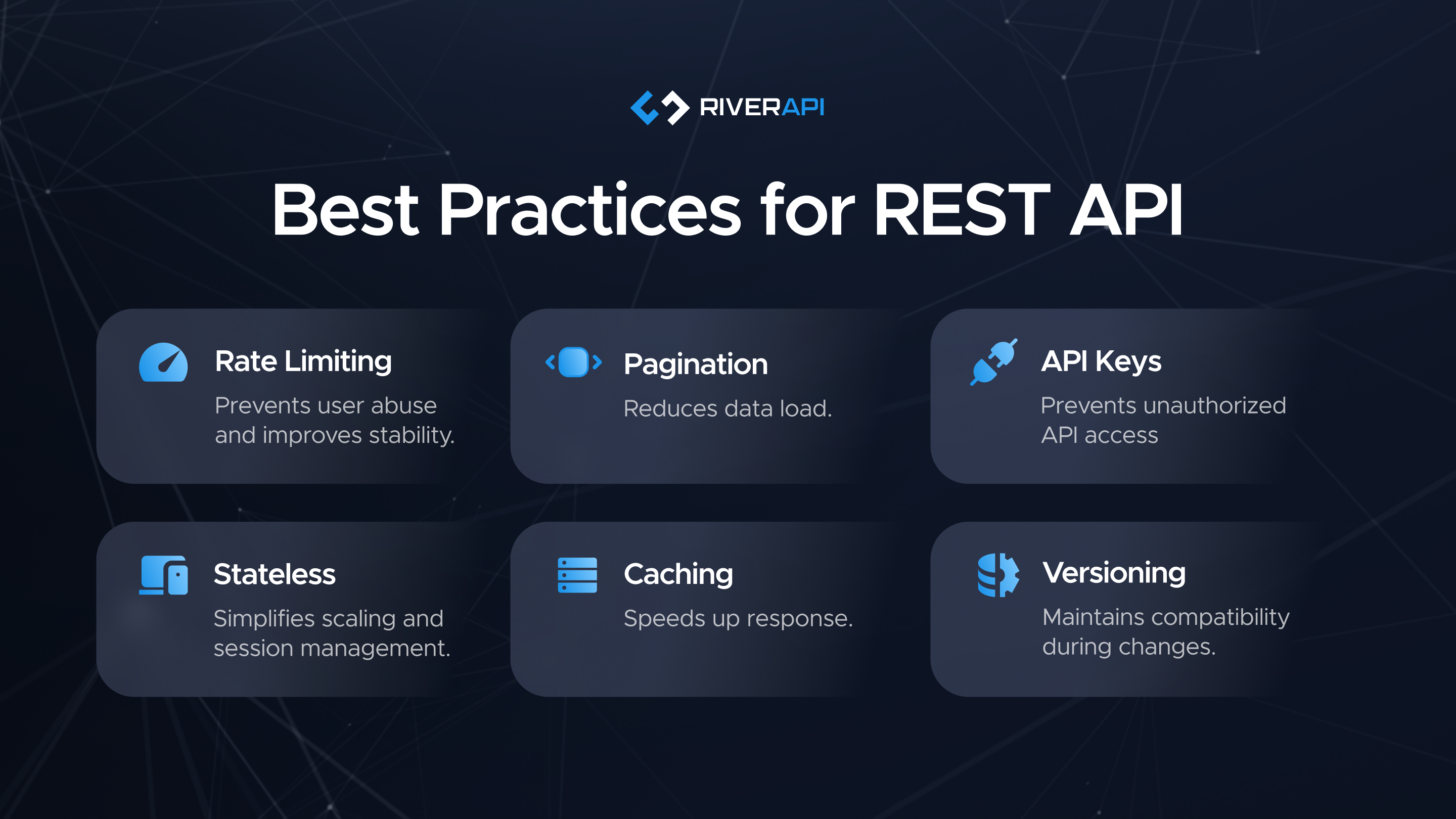
Inconsistent Naming
Endpoints with irregular naming conventions confuse developers and make APIs harder to maintain. Using consistent naming conventions ensures predictability and avoids misunderstandings when managing API within larger systems.
Missing Versioning
An API without versioning risks breaking existing client applications when changes occur. Proper versioning ensures smooth evolution and backward compatibility, supporting long-term scalability and maintainability.
Weak Security
APIs without strong authentication, validation, or rate limits are vulnerable to attacks. Security best practices must include checks that protect both data and infrastructure.
Poor Documentation
An API without clear documentation quickly loses adoption. Developers must understand how to interact with the API, or they will abandon it for alternatives. Clear documentation is a cornerstone of any API design best practices guide.
Trending API Design Guide: Beyond the Basics
Modern API design is evolving to meet the demands of AI-driven systems, real-time web applications, and complex integrations. The following design patterns and trends reflect the latest approach to designing REST APIs:
Intent-driven APIs
Create higher-level endpoints that map to real business actions rather than exposing every call. This approach to designing reduces complexity and simplifies managing logic for developers and clients.
Context-aware Tracking
Embed tracking capabilities within APIs to capture real-world performance and support scalable, data-driven decision-making for web applications.
Smarter Use of HTTP
Use HTTP methods correctly and leverage standard HTTP response codes and headers for hints like rate limits or deprecation notices. This makes APIs more self-documenting and easier to adopt.
Unified Naming Across Services
Apply consistent naming conventions across multiple APIs to ensure seamless integration within a broader ecosystem. This is essential when managing API within complex systems.
Design for Extensibility
Include optional fields, versioned URLs, and flexible data structures to accommodate future changes without breaking clients. This forward-looking design patterns approach ensures REST APIs remain scalable and adaptable.
Closing Thoughts on Modern REST Practices
Strong API design best practices form the foundation of scalable, secure, and maintainable systems. Following principles such as clear naming conventions, consistent versioning, robust security, documentation, and proper use of HTTP methods ensures REST APIs remain reliable and effective as they evolve.
Well-designed support helps developers and businesses reduce errors, improve response times, and enable integrations within web applications that meet needs.
For expert guidance on REST API design, tracking API, API call management, and optimisation, contact RiverAPI. Our team provides knowledge and tools to help design an API that is efficient, secure, follows design patterns, built for long-term success.
FAQ
What is the difference between REST and RESTful APIs?
REST is the architectural style, while RESTful APIs are implementations that follow the principles of REST, such as stateless communication and uniform resource identifiers.
Why are HTTP status codes important in API design?
They allow the client request to understand whether an operation was successful, failed, or requires changes. This improves debugging and reduces confusion.
How does API versioning improve maintainability?
API versioning ensures that features added or removed do not disrupt existing client applications. It helps to manage APIs as they evolve.
What is the role of OpenAPI in API design?
OpenAPI provides a specification for defining APIs in a standardised format. It helps teams agree on the format and allows tools like Swagger to generate interactive documentation.
Tell Us About
Your Project
River API is the leading API developer in the UK. We offer end-to-end API integration and API development services with a security-first approach. Let’s connect!